Amazon Ads
Book Report can connect to your Amazon Ads account. Once connected, it lines up your Amazon Ads data with your KDP data, then shows the ad impact inside the reports you already use.
- Data for Sponsored Products ads within the last 90 days will be imported, and kept up-to-date.
- Book Report lines up your Amazon Ads data with your data from KDP, so that you can browse your ad data in the same places you already browse your sales data. You don’t need to learn how to use a new piece of software. It's easy to pull up numbers from the two services right next to each other - for instance, looking at ad spend and earnings for each series you’ve published.
- Book Report uses your KDP data to reconcile your Amazon Ads Attribution data. We take the totals from KDP and use attribution data to allocate the portion that can be connected to your ads. The remainder is marked as organic. Essentially, we deal with the mess of overlapping and mismatched metrics, and you get to browse coherent data to see the impact of your ads.
If you are on legacy pricing, your first successful Amazon Ads connection will begin a 90-day free trial. Your legacy subscription keeps the features that existed before February 2025. Amazon Ads is part of the new feature set, so keeping this feature after the trial will require moving to current pricing.
Connecting Amazon Ads
It is quick and simple to connect Book Report to your Amazon Ads account.
Amazon Ads reporting data will be included in any Book Report data shares you have set up, subject to their sharing filters.
- Open Book Report.
- Go to the Settings tab, then select Connected Accounts.
- Find Amazon Ads.
- Under Amazon Ads, click Connect.
- Approve the connection with Amazon.
- Select the profiles you want to import, then click Save changes.
Once you save your selection, Book Report will begin importing Amazon Ads data in the background. Newly connected accounts may need some time before all reports show advertising data.
Turning off a profile deletes the Amazon Ads data you imported for it. Selecting it again normally imports only the last 90 days, so older history may not return. Data shared with you by another Book Report account can remain visible.
Ad spend can match books shared with you, including through read-only shares. If the same ASIN matches more than one readable catalog, the spend remains unmatched. Allocating your imported ads against another account's shared KDP sales and page reads is not yet supported.
Ads Data
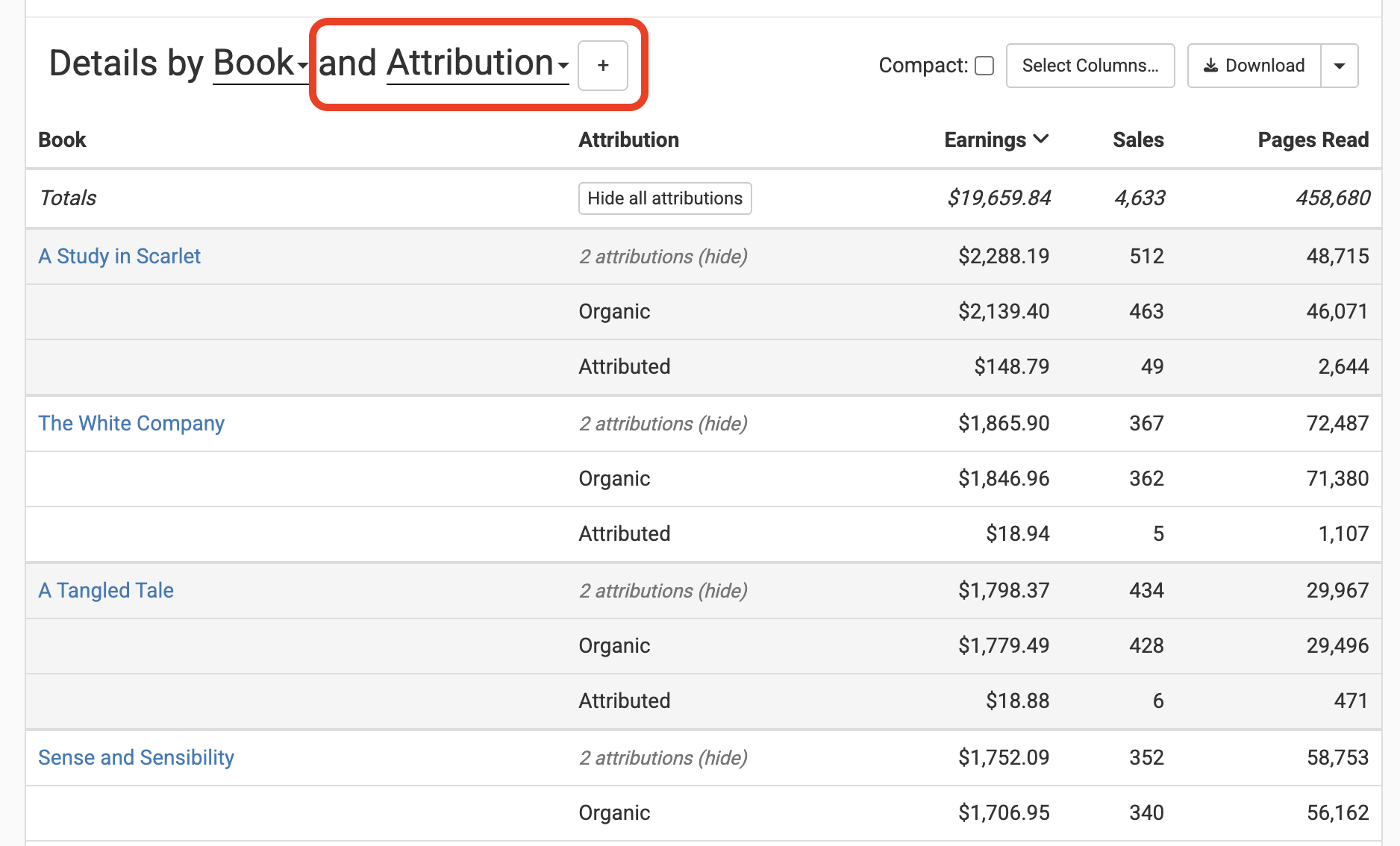
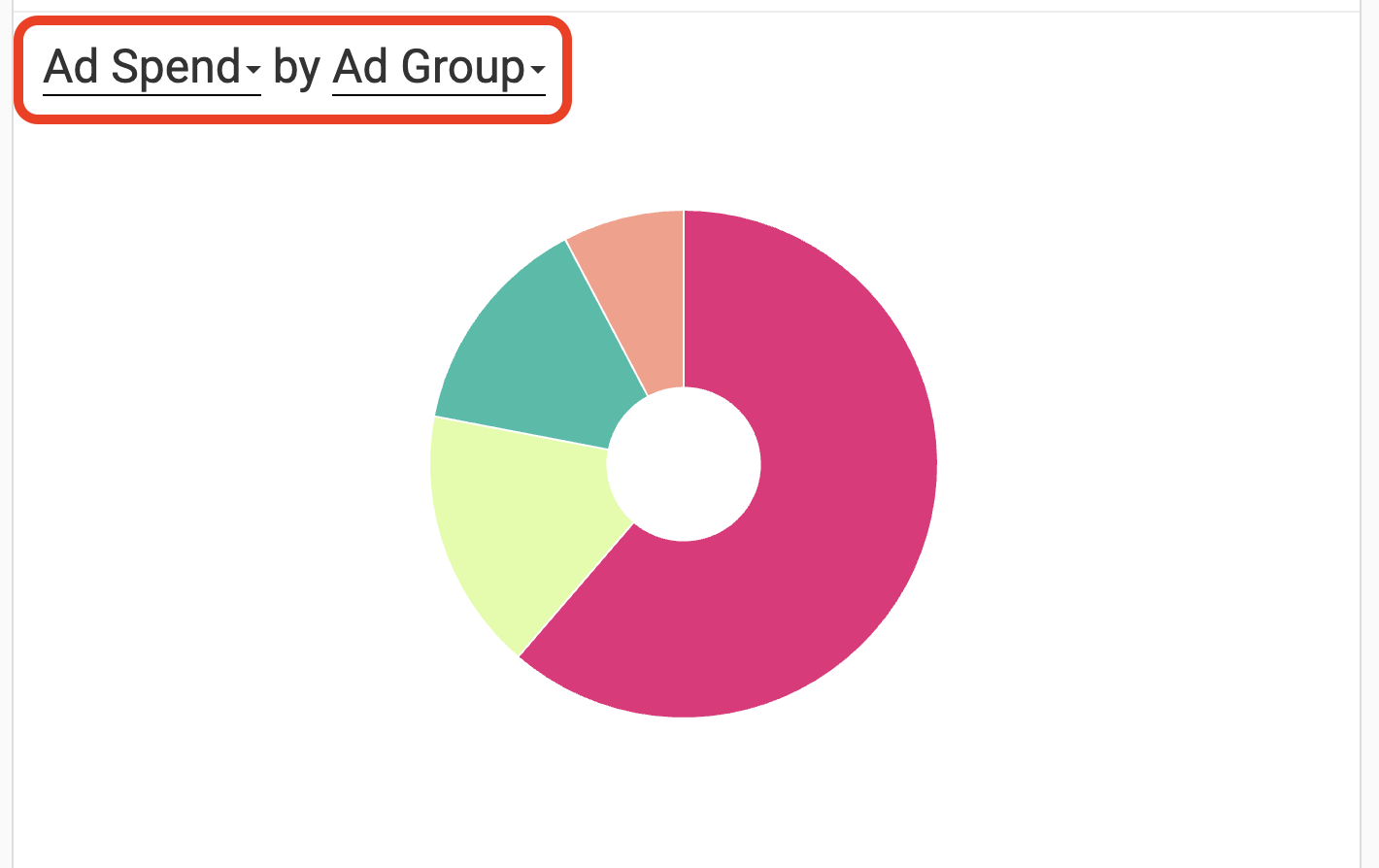
Ads data appears throughout Book Report, available right alongside sales data. To make full advantage of the data, we recommend customizing the charts and tables to fit your business. The screenshots below illustrate how this can be done.
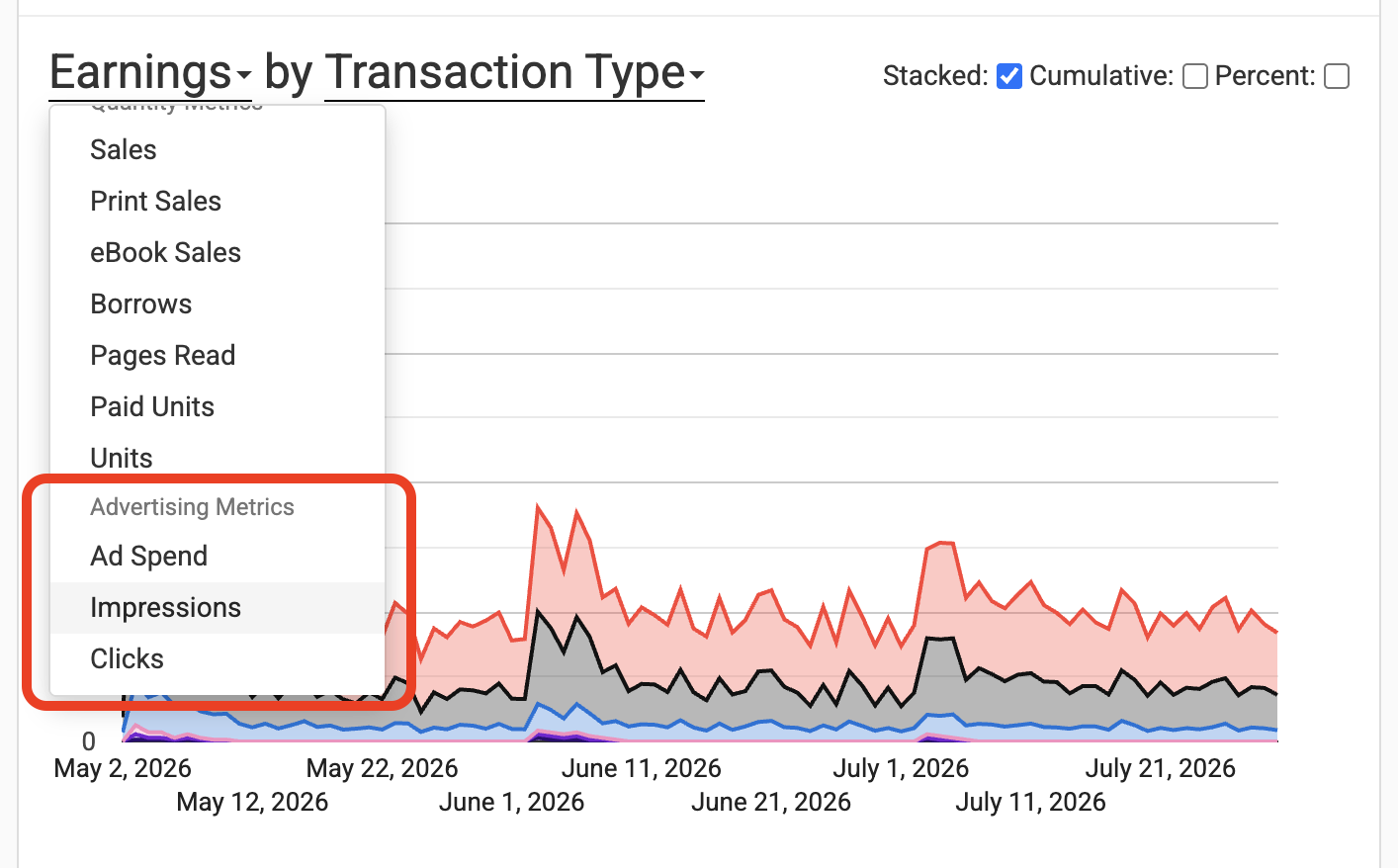
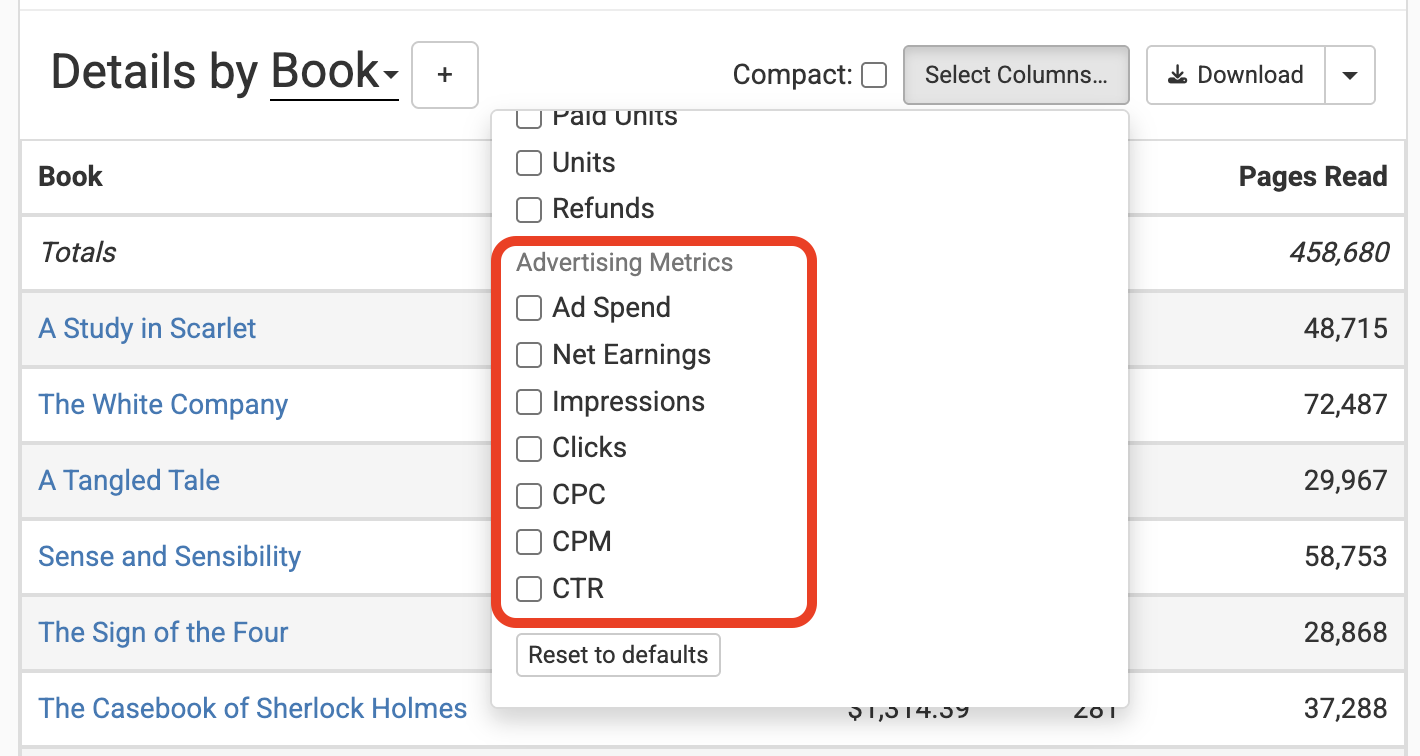
The new metrics include:
- Ad Spend
- Amazon Ad Spend and Facebook Ad Spend, offered together when both platforms have non-zero spend in the current report window
- Net Earnings
- Impressions
- Clicks
- CPC (Cost Per Click)
- CPM (Cost per 1,000 Impressions)
- CTR (Click-Through Rate)
We also organize your data within the following categories:
- Ad Group
- Ad Profile
- Campaign
- Attribution
That last one merits its own section.
Attribution
Book Report uses Amazon Ads Attribution data to help you track the impact of your ads by splitting your KDP totals into two buckets: attributed and organic.
The rule is: Attributed + Organic = your KDP total.
No matter how you slice your data, the data will follow that rule. It’s true for single books, entire months, each series, and every author. Essentially, it means that the numbers will make sense.
An example: If you set the details table to include the Books column and the Attribution column, then for each book you will see two rows: attributed and organic. The numbers in the attributed row are the activity for that book that came from your Amazon Ads; the numbers in the organic row are the activity not from your Amazon ads. This view makes it easy to see how many of your sales are coming from ads, or how many page reads. You can swap the Books column for the Series column, to get a broader view of your business.
This simple usage masks a fairly complex system under the hood. You don’t need to understand that system to make use of it; but if you’d like to hear the details, read on.
Amazon Ads and KDP do not describe the same activity in exactly the same way. A few examples:
- Amazon Ads provides the total amount a customer paid for a product, whereas KDP provides the amount an author will be paid for a given sale.
- Amazon Ads reports an attributed sale on the day the ad was clicked, whereas KDP reports a sale on the day a book was purchased.
- Amazon Ads don’t report a specific day a sale occurred, only a window.
- Amazon Ads estimate earnings from pages reads with a single default setting, whereas KDP lets you choose how to estimate page read earnings.
On top of all this, sometimes the numbers simply do not add up. Amazon Ads will say they sold 1000 copies of your book within a 14-day window, but KDP says you only sold 975 copies of that book even within a 30-day window.
So how does Book Report handle all of this?
- It treats KDP data to be the source of truth when it comes to earnings.
- We trust the unit numbers (purchases and page reads) from Amazon Ads, capped at the unit numbers that KDP reports for the same period.
- We only use the same-sku attribution numbers, so we know which book we’re talking about.
- We calculate attributed earnings by assuming that an ad-attributed unit contributes the same amount of earnings as an organic unit during the period in question.
- We assume each attributed unit occurred as early as possible within its 14-day window, without exceeding the total unit number on any given day.