Pay for an author's Book Report subscription
With partner billing, you can include Book Report in the service you provide to authors. Each author keeps their own Book Report account, and you receive one monthly invoice for the subscriptions you pay for.
Contact Book Report to arrange your price and enable partner billing on your account. Include the Account ID shown at the bottom of Book Report. Your agreed price appears during setup.
Set up payment
- Open Book Report and go to the Settings tab, then select Account & Billing.
- Under Partner Billing, click Set Up Partner Billing.
- Verify your email address if asked.
- Enter the Partner name authors will see on their invitations and billing page, then click Continue.
- Review your price and the date it is fixed until. Click Accept Pricing.
- Click Continue to Payment Setup and save your payment method in Stripe. Return to Book Report when finished.
You should see Payment method saved. and Invite Client. If you left before saving a payment method, click Finish Payment Setup to continue.
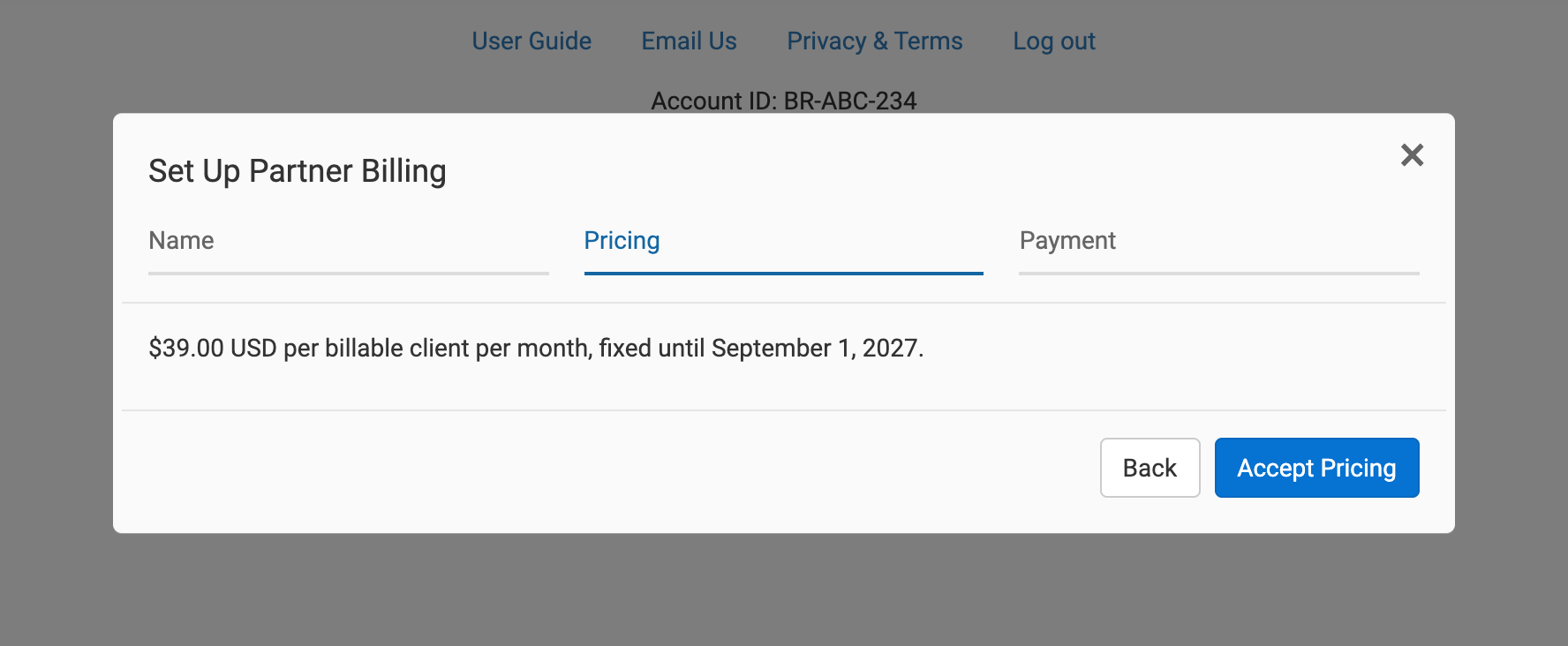
The screenshot uses fictional names and example pricing. Your own agreed rate and dates appear in Book Report.
Invite an author
- In Settings → Account & Billing → Partner Billing, click Invite Client.
- Enter the author's name in Client name and their email address in Client email.
- Click Send Invitation.
Book Report sends an email naming your business and offering to pay for their subscription. The invitation appears in your Clients list. Use Resend if the author needs another email, or Withdraw to stop an unused invitation from working. Invitations expire after 30 days; resending gives the author a new invitation link.
The author opens Review Invitation from the email and signs into their own Book Report account, reviews the start date, and clicks Accept Invitation.
An author who already pays for Book Report keeps the time they have paid for, including an annual subscription. Their next personal renewal stops, and you start paying after that paid time ends. A new or unsubscribed account can start immediately. Check the start date shown in the invitation and your Clients list.
If Book Report cannot finish stopping the personal renewal, the author sees a message and Try Again. They should finish that step or contact support.
Get permission to use their data
Accepting a billing invitation does not share reports with you. Send the author your request link as a separate step. The author chooses their permissions and approves access.
How your bill works
For an agreed flat rate:
- Each author assessed as Billable costs your agreed USD amount per month. Authors assessed as Free cost zero.
- Billing runs on the 15th of each month in UTC. The Free or Billable assessment uses earnings from the preceding calendar month.
- An author whose subscription starts being paid by you after a billing date enters the next cycle. There is no proration or advance charge.
- There is no minimum author count or minimum bill. If every author is Free, there is no payment to collect.
- Your agreed rate has a twelve-month price guarantee. The end date appears during setup. This is a price guarantee, with no twelve-month service commitment. After the guarantee ends, the existing rate continues until a replacement is agreed.
In Partner Billing, the Clients list shows each author's assessment and charge. Under Billing, click View Details for the author-by-author breakdown or Open Invoice for the hosted invoice.
Use Manage Payment Method to change your card. If a payment fails, update the payment method and click Retry Payment for that invoice. Authors remain covered while you resolve the payment.
Stop paying for a subscription
In the Clients list, click End Coverage beside the author. Review the date and click Confirm End Date. For an active arrangement, the end date is the next future 15th. If it has not started, canceling removes the scheduled arrangement.
The author can also end the arrangement from their Settings → Account & Billing page using End Partner Billing.
Neither action starts a personal subscription or restarts a personal renewal that was canceled. The author can choose a personal plan afterward. Existing invoices remain payable, and data-sharing access stays in place until either account removes it separately.