Ask an author to update their data
When you need fresh data, send the author this link:
You can keep the message simple:
Please open the Book Report update page and follow the steps to update your data.
The page guides the author through the update. You can send the same link to every author and include it in your regular requests for information. Each author updates the connected accounts in their own Book Report account.
What the author sees
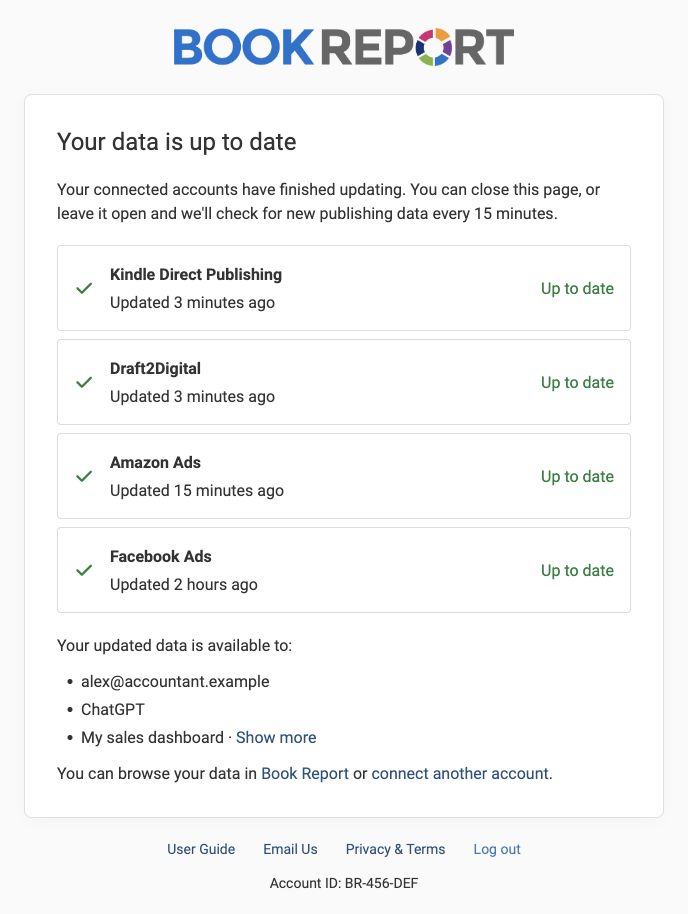
The page shows progress for each connected account and prompts the author if anything needs their attention. When all accounts finish, it shows Your data is up to date and lists where the updated data is available, including existing shares and connected tools.
Use the updated data
Once the author updates their data, it becomes available in the reports they share with you. Their existing sharing permissions still apply, so they do not need to approve access again.
If the author has not shared with you yet, send your request link so they can approve access.